
Blank address labels
Matt white paper · A4 sheets · Permanent adhesive
For names, delivery addresses and mailing details printed at home or work. Choose a mailing layout and use the matching template with a compatible inkjet or laser printer.
Free UK Delivery On Orders Over £60

Sign up and get 15% off your first Go2Products order, plus occasional offers and product updates.
Find the right labels for envelopes, parcels and business post. Choose blank sheets to print yourself, personalised labels printed for you, or compact return labels for your sender details.
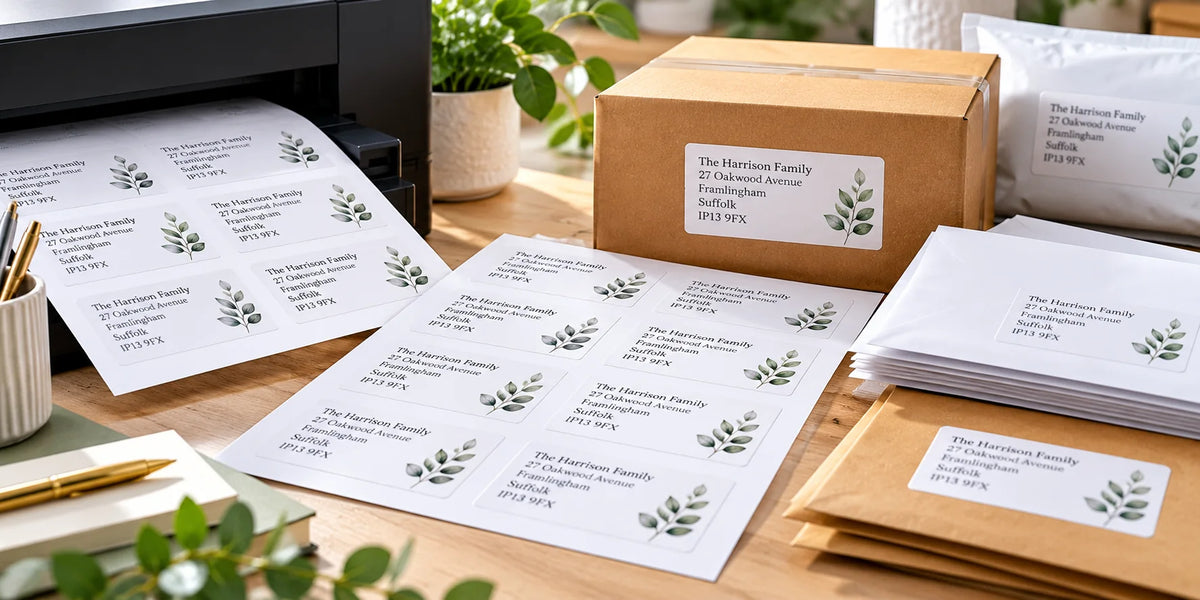
For changing recipient addresses, blank sheets let you print your own details. For details you want us to print, choose personalised labels. For compact sender details on outgoing post, choose return address labels.
Choose a mailing-focused product or browse general-purpose matt white sheets. Each product shows its current size, material and quantity options.
For names, delivery addresses and mailing details printed at home or work. Choose a mailing layout and use the matching template with a compatible inkjet or laser printer.

Send your address details or artwork for labels supplied ready to peel and apply. Choose the material and size for your envelopes, parcels or branded business mail.

Add a consistent sender address to outgoing envelopes and parcels. These are sender stickers, rather than carrier return-shipping labels.

Choose the wider matt white range when you also need labels for filing, stock, product information or other everyday labelling alongside your mailing work.
Measure the usable area of the envelope or parcel, then check the longest address you expect to print. More labels per sheet means less room on each label.
Swipe sideways to compare sizes →
| Blank label size | Labels per A4 sheet | When to consider it |
|---|---|---|
| 38.1 × 21.2mm | 65 | Compact details where the text fits clearly; check line length and type size. |
| 63.5 × 38.1mm | 21 | A mailing layout to consider for envelope addresses. |
| 99.1 × 38.1mm | 14 | A wider format for longer lines or business details. |
| 99.1 × 67.7mm | 8 | More height for longer addresses and additional information. |
| 99.1 × 139mm | 4 | Larger designs, subject to the required layout and printable area. |
For one address or a list of recipients, start with the exact layout and check a plain-paper sample. A small setup check can save wasted sheets.
Download label templatesChoose for the printer you have and the labels you need to produce. A roll must fit the printer’s media specification as well as the required label layout.
Use compatible inkjet or laser equipment. Sheets can suit address lists and mixed office work where different layouts are useful. Match the material to the printer.
Choose compatible rolls for a direct thermal printer. Confirm label dimensions, core, roll diameter and media sensing, alongside your booking system’s output format.
Use a suitable thermal transfer printer with a ribbon matched to the label stock. Confirm the material, adhesive and printed durability for the intended use.
Matt white paper gives mailing text an opaque background. Our blank matt paper sheets use permanent adhesive and are suitable for compatible inkjet and laser printers.
Apply to a suitable clean, dry area. Check adhesion on textured, coated or flexible packaging before a full run.
View matt white paper labels →Ordinary matt white paper should not be treated as waterproof. If moisture resistance matters, ask about a suitable synthetic stock and check print and adhesive performance.
Our white polyester A4 stock is for laser printers only. Confirm the complete specification for your intended conditions.
Choose a dedicated address product, or ask for advice on a different layout, quantity or material.
Use personalised address labels for the mailing details you want printed. For compact sender stickers, choose return address labels and send your details, preferred style and any logo.
For broader packaging artwork and branding, explore printed sheet labels or custom printed rolls. Tell us whether the details repeat or vary so we can confirm the right print setup.
Choose labels for letters, invitations, customer mailings and everyday business post.
Read the guide →Compare print formats and choose stock for your parcel-dispatch workflow.
Read the guide →Set up templates, prepare an address list and check alignment.
Read the guide →Compare layouts and find enough space for your recipient or sender details.
Read the guide →Blank address labels are unprinted sheets that you print yourself using a compatible printer and matching template. Personalised address labels are printed by us with the details or artwork you supply and arrive ready to peel and apply.
Our matt white paper A4 address labels are suitable for compatible inkjet and laser printers. Other materials can require a specific printer type. Check the selected stock and your printer’s label-media guidance before ordering.
Choose a size that fits the usable area of the envelope or parcel and leaves room for a readable address. Our blank layouts include 63.5 × 38.1mm at 21 per sheet and 99.1 × 38.1mm at 14 per sheet, alongside larger and smaller options. Match the exact template and product layout.
No. Return address labels show the sender’s address on outgoing post. A carrier return-shipping label is used to send an item back and may include a carrier barcode and service information. Obtain the correct shipping label through the relevant carrier or booking service.
Yes. Use suitable label software or a mail merge workflow with a correctly formatted address list and the exact sheet template. Check the preview for long addresses and blank fields, then test on plain paper at 100% or Actual Size before printing label sheets.
Use A4 label sheets when the carrier or booking system provides a compatible A4 layout. Match the required label size and preserve the supplied barcode, clear spaces and print scale. Do not shrink or crop a shipping label simply to fit a smaller sticker.
A4 sheets suit compatible inkjet and laser printers and can be useful for mixed office and mailing work. Thermal rolls require a compatible thermal printer and the correct label dimensions, core and roll format. Direct thermal uses no ribbon; thermal transfer uses a compatible ribbon.
Ordinary matt white paper is intended for everyday labelling and should not be treated as waterproof. If moisture resistance matters, choose a suitable synthetic stock and confirm printer, print and adhesive performance for the intended conditions. Our white polyester A4 stock is for laser printers only.
Yes. Our personalised return address labels can include your sender details and logo or branding. Supply artwork or send the details and preferred style, then confirm the layout before printing.
Use our label templates page and match the exact dimensions, number of labels per sheet, gaps and margins. Select A4 and print at 100% or Actual Size with automatic scaling turned off. Check alignment on plain paper first.