
A4 label sheets
Use sheets with compatible home or office printers when your system provides the right A4 layout, or for your own addresses and identification designs. Match the print technology to the stock.
Free UK Delivery On Orders Over £60

Sign up and get 15% off your first Go2Products order, plus occasional offers and product updates.
Match your labels to your printer, shipping-system output and packaging. Compare A4 sheets, direct thermal rolls and thermal transfer rolls for addresses, carrier labels and dispatch identification.

Check the format your carrier or booking system generates, then match it to a supported printer and label layout. For your own address or internal identification design, choose a suitable size and exact template.
Choose for the equipment and output you use. On mobile, swipe to compare the formats.
Use sheets with compatible home or office printers when your system provides the right A4 layout, or for your own addresses and identification designs. Match the print technology to the stock.
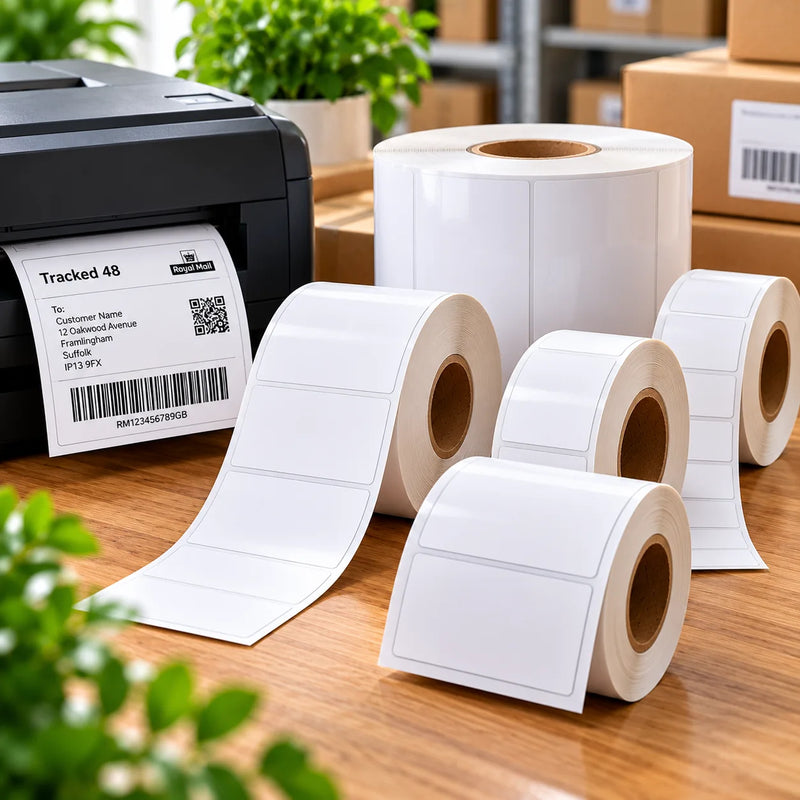
Choose heat-sensitive labels for a compatible direct thermal printer. Confirm the roll specification and shipping-system layout before ordering. Standard stock is not automatically waterproof.

Choose a compatible thermal transfer stock and a ribbon matched to the material and required print durability. Confirm dimensions and roll format for your printer.
Swipe sideways to compare →
| Check | A4 sheets | Thermal rolls |
|---|---|---|
| Printer | Compatible inkjet or laser model; choose stock for that print method. | Direct thermal or thermal transfer model; confirm which technology it uses. |
| Layout | Exact label positions, dimensions, margins and gaps on the sheet. | Required label width and length, plus sensing method. |
| Media format | Supported sheet size, feed path and material. | Supported core, roll diameter, label width and media construction. |
| Print setup | Use the supplied page size and scale; check printer margins and media setting. | Set the correct media dimensions and follow printer guidance for sensing or calibration. |
| Required durability | Check face material, ink or toner and adhesive for actual conditions. | Check stock and adhesive; for transfer printing, match the ribbon too. |
These sizes provide different amounts of space for your own addresses and dispatch information. For a supplied carrier or logistics layout, choose only a format that matches its requirements.
Swipe sideways to compare →
| Label dimensions | Per A4 sheet | Format to consider |
|---|---|---|
| 99.1 × 67.7mm → | 8 | An address or reference area when the full content fits. |
| 99.1 × 139mm → | 4 | A larger label for your own parcel details or a matching supplied layout. |
| 199.6 × 143.5mm → | 2 | Half-sheet format for larger address or dispatch designs. |
| 199.6 × 289.1mm → | 1 | A large single label with a sheet border for identification layouts. |
| 210 × 297mm → | 1 | Full-sheet format for larger designs; check the printer’s printable area. |
Use the required output without squeezing it into an unrelated sticker size. Check a sample before printing a batch of shipments.
Ask about your label stockMatt white paper can suit routine addressing and identification on suitable packaging. Our blank matt paper sheets use permanent adhesive and suit compatible inkjet and laser printers.
Test adhesion on the actual carton or mailer, especially on coated, textured or flexible surfaces.
Ordinary paper and standard thermal stock should not automatically be treated as waterproof. Confirm the face material, print, adhesive and exposure requirements.
Our white polyester A4 stock is for laser printers only. For synthetic thermal rolls, ask for the appropriate stock and, where required, a matched ribbon.
Use ready-printed labels for repeated details and branding alongside the shipping information your carrier requires.
Send the address details or artwork you want printed. Choose a compact return label for sender information or a larger personalised address format. Confirm the setup for changing recipient lists.
Add logos, repeated sender details or packaging messages using professionally printed sheets or custom printed rolls. Tell us whether the content repeats or varies between labels.
Choose the format supported by your printer and shipping software. A4 sheets suit compatible inkjet or laser equipment; thermal rolls need a compatible thermal printer and the correct media dimensions. Confirm the supplied shipping-label output before choosing stock.
Not necessarily. An address sticker carries recipient or sender details. A carrier-generated shipping label may also contain tracking barcodes and service information. Use the correct output from your carrier or booking system; a branded address sticker does not itself provide postage.
Use the label dimensions and output format required by the carrier or booking system. Match these to your printer and stock. Do not shrink or crop a supplied layout just to fit a smaller label.
Yes, when the shipping system provides an appropriate A4 layout and your printer supports the selected label stock. Our matt white paper A4 sheets suit compatible inkjet and laser printers. Other materials may be specified for only one printer type.
Direct thermal printing uses heat-sensitive stock without a ribbon. Thermal transfer uses a ribbon matched to the label material. Confirm the print technology, media format and durability requirements for your equipment and application.
No. Check the printer model, print technology, supported label width and length, core size, roll diameter and media sensing. The correct label face dimensions alone do not establish compatibility.
They can provide a larger area for addresses, dispatch references or identification when the required layout fits. Options include 199.6 × 143.5mm at two per sheet, 199.6 × 289.1mm at one per sheet and 210 × 297mm at one per sheet. Confirm system requirements, print scale, stock and adhesion on the actual surface.
That depends on the material, printed image, adhesive and exposure. Ordinary matt white paper and standard thermal stock should not automatically be treated as waterproof. Ask for a suitable specification when moisture resistance is required and test the finished label.
Yes. Explore personalised address labels, printed sheet labels or custom printed rolls for repeated sender details and branding. These do not replace carrier-generated shipping labels. For changing data or specialist layouts, request a quote to confirm the setup.
For your own address or identification design, use our label templates page and match the exact sheet layout. For a carrier-generated label, use the output format supplied by that system and preserve its required size, barcode scale and clear spaces.